Organizing documents the smart way with Zetadocs
Using tags to categorize documents in SharePoint
Editor’s note: This post was originally published in March 2014 and has been revamped and updated for accuracy and comprehensiveness.
Despite advances in technology, information overload is an issue that hasn’t gone away for many companies.
A report by McKinsey claims that employees spend 1.8 hours every day (or about 20% of their working week) on average searching and gathering information. That’s a significant amount of time wasted on tasks that aren’t contributing to productivity.
Document management systems like SharePoint help alleviate this problem by making information easily searchable and retrievable on screen, which usually requires your documents to be organized and categorized in a consistent way. By that we mean each time you upload a document to SharePoint, you can add extra information like a title, description or company name to help staff find or navigate to these documents later on. But, let’s be honest, that’s not going to happen unless an automated process does it every time.
Key takeaways
- ✓ Metadata tagging makes documents faster and easier to find in SharePoint.
- ✓ Automated document categorization improves search, collaboration and workflows.
- ✓ Zetadocs helps make Business Central documents accessible across your organization by leveraging SharePoint.
I’ve been tagged
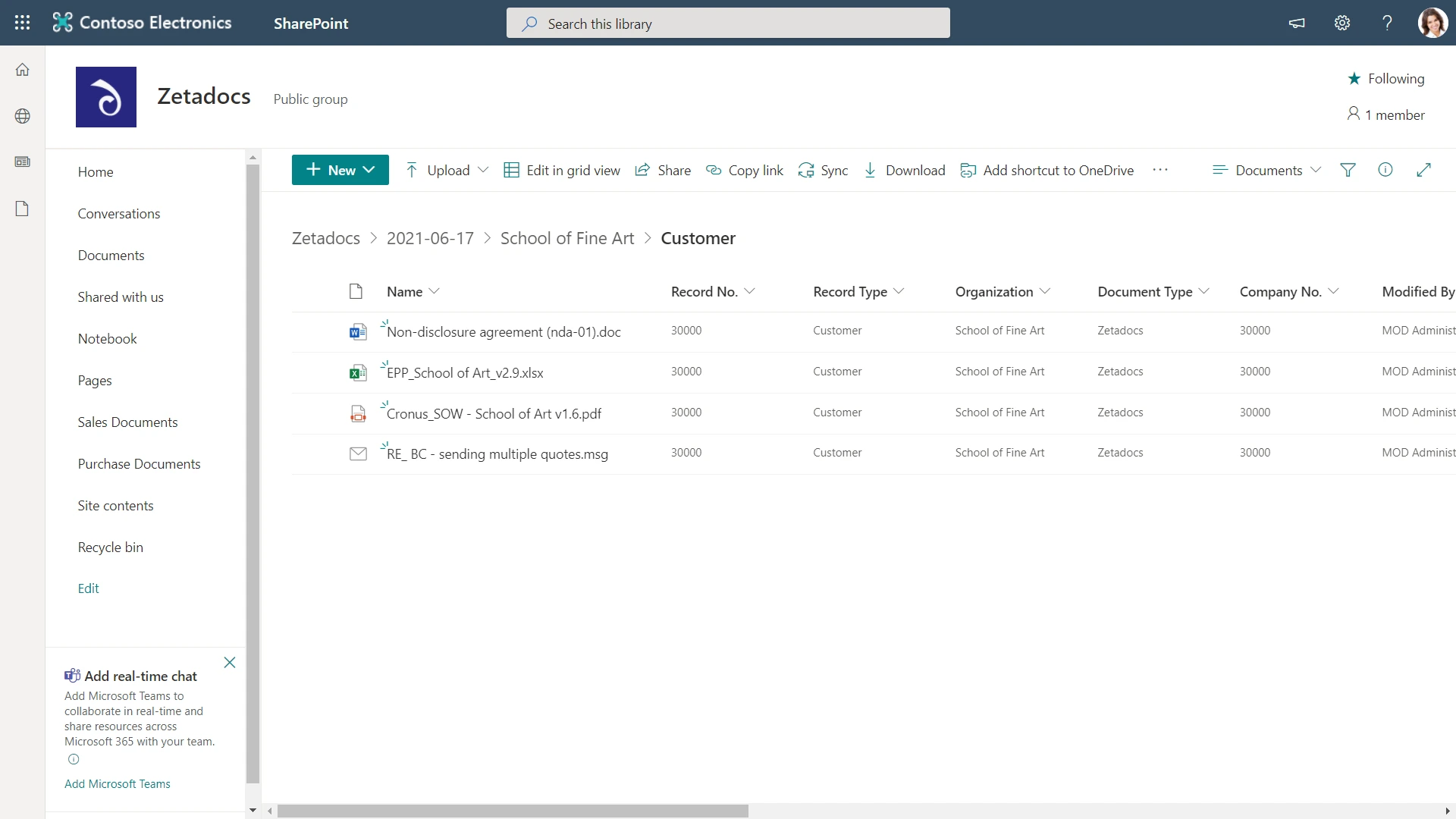
That’s where metadata comes into its own. Metadata is a tag that provides extra information to help categorize and describe a document. These carefully defined tags, which get applied automatically and consistently every time you deliver or capture documents, make the job of finding these documents again within the electronic archive so much easier.
Metadata not only helps suitably permissioned staff search and retrieve documents, it can also be used to trigger workflows automatically (e.g. a Power Automate Flow). For example, if a specific metadata tag is present on a document and other conditions are met, then a conditional workflow can be created that move documents to other libraries, alert you and others of new content, or follow pretty much any business process.
Metadata can also be used to create new SharePoint Views that are tailored to show information relevant to a particular audience, making it easier and quicker to find documents when needed.
I’m ok, I’ve got Zetadocs
Zetadocs makes it really easy for Business Central users to see all documents related to a Business Central record ‘in context’ using the Documents FactBox. But what about those people in your organization who could benefit from collaborating with these documents, but don’t have access to Business Central?
Take the example of a customer services assistant. They need to be able to let the customer they have on the phone know if their order has been confirmed. All they need to do is open their SharePoint site and type the customer’s order number or even just the customer’s name into the search box. Bingo! They’ve found the related documents. Then, through using a combination of these related documents and their associated metadata, they can give an informed answer without having to transfer the call to someone with access to Business Central.
Configure or code
Each edition of Zetadocs supports document tagging. Zetadocs Express gives you simple metadata like the Business Central record number and the organization name. Our Essentials editions give you fully configurable metadata. This means it is possible to take any field on the associated Business Central record and attach it as metadata to the file that is archived in SharePoint, without writing a line of code. More complex scenarios like combining fields from another line of business system are possible, but this requires coding to accomplish using our Zetadocs Plus editions.
Two simple steps
It’s really easy to set up additional document tagging with our Essentials editions. First, create the additional fields in SharePoint, then use the Zetadocs Metadata Mappings table in Business Central to define which Business Central fields you want to pull data from, and then you’re ready to push these fields into SharePoint. This short document explains these steps in more detail (our technical services team are also available to assist you).
Take control of your documents
The most powerful aspect here is the ability to give access to documents, normally held just in finance, to other suitably permissioned employees; typically non-Business Central users.
Discover more about Zetadocs Capture by clicking here and Zetadocs Delivery by clicking here.