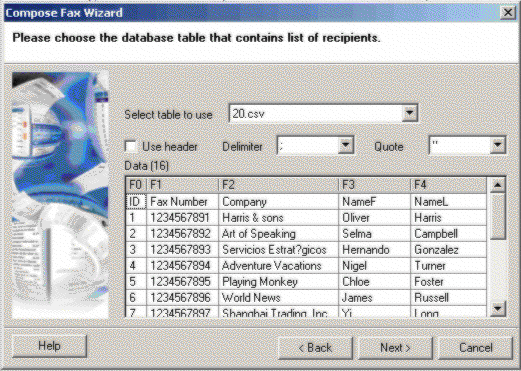
Examples of an imported CSV file
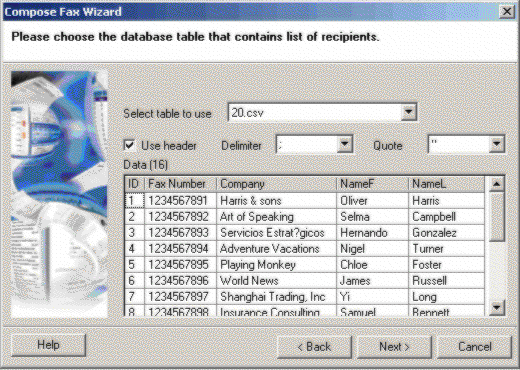
In order to display both the headers and the columns in the correct manner:
• |
The Use header option must be selected. |
• |
The Delimiter must be set to the correct delimiter as specified in your CSV file. |
• |
The Quote option must be set to the correct option as specified in your CSV file |
The result will be as follows:
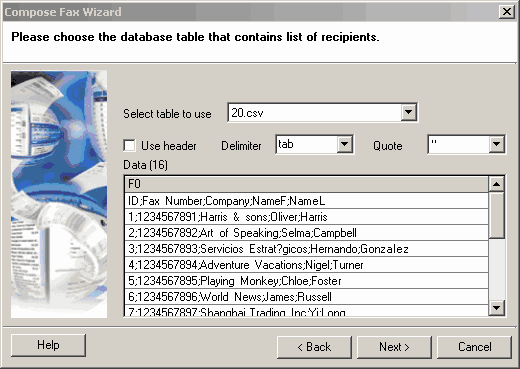
In the figure below, a wrong delimiter has been chosen. This prevents the Compose fax wizard from breaking up the CSV file correctly. This means no columns or column headers can be displayed:
If the example beloe, the delimiter has been chosen correctly, but the Use header option was not selected. As a default, numbered headers are used instead.